Seven laptops here carry the same RTX 5080 chip. Exactly one tells you how much power it is allowed to draw. Razer prints 175 watts of graphics power plus 25 watts of dynamic boost, and nobody else on this page prints a graphics figure at all. That matters more than any other number in this search, because the identical chip can be run hard or run softly, and the gap between the two is bigger than the gap between one chip and the next.



Worth knowing before you start: several products returned by this search are desktop graphics cards, not laptops. They are a component you install in a tower. Everything below is a machine you open and use.
At a glance
| Laptop | Power figure published | Price tier | Link |
|---|---|---|---|
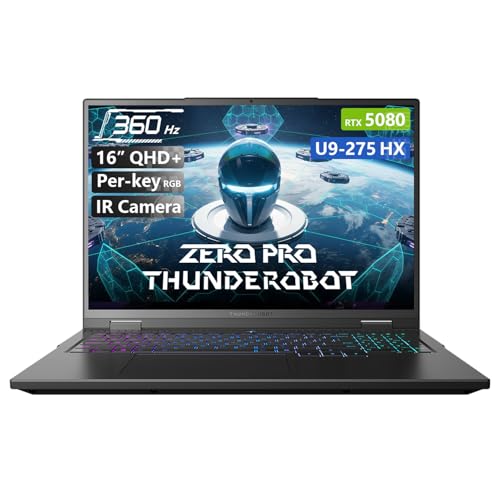
| Thunderobot Zero 16 Pro | 230W total system. Best seller, 360Hz | Budget | |
| MSI Vector 16 HX (4TB) | None. Thunderbolt 5, 64GB, 4TB | Mid-range | |
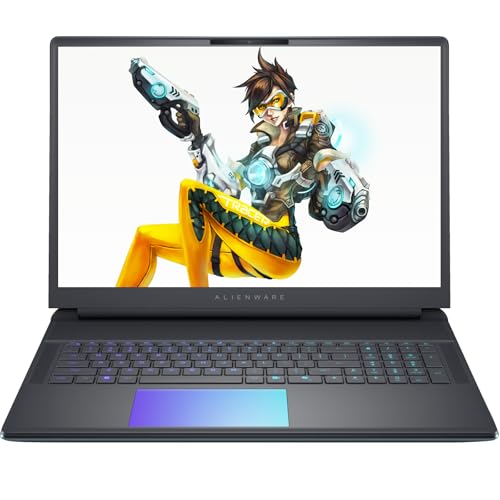
| Alienware 16 Area-51 | 240W total performance power, not graphics | Mid-range | |
| MSI Vector 16 HX (8TB) | None. Same laptop, double the storage | Premium | |
| ASUS ROG Strix G18 | None for graphics. 64GB, 8TB, MUX switch | Premium | |
| Alienware 18 Area-51 | None. 18 inch, 300Hz, 1TB only | Premium | |
| Razer Blade 18 | 175W graphics plus 25W boost. The only one | Premium | |
How to choose
The same chip is not the same performance
Total graphics power is the wattage the laptop lets its GPU draw, and it is set by the chassis, not the chip. A maker who builds enough cooling can run an RTX 5080 near its ceiling. A maker who builds a thinner machine runs the identical part far softer, and the frames drop accordingly. Both boxes say RTX 5080. The difference between them can be larger than the difference between one GPU tier and the next, which is why the wattage is the specification and the chip name is only the headline.
Total system power is a different number entirely
Here is where the labels do their damage. Alienware publishes 240 watts of total performance power, and Thunderobot publishes 230 watts of total power the system can sustain. Both are bigger than Razer’s 175. Neither is the same measurement. Those figures cover the processor and the graphics together, or the whole machine, while Razer’s is the graphics alone. Put a 24-core processor on the same budget and the graphics share shrinks. Compare graphics wattage to graphics wattage, or do not compare.
Cooling is the specification that decides the wattage
Since almost nobody prints the graphics wattage, the cooling description is the best proxy you have. Thunderobot counts its parts: dual fans, seven enlarged heat pipes and 316 copper fins. ASUS runs a vapor chamber, triple fans and a liquid metal compound. Alienware’s 18 uses quad fans and four enlarged vapor chambers. Razer simply says vapor chamber cooling engineered for high wattage GPUs, and then prints the wattage, which is the only listing here where the claim and the number appear together.
Check the display refresh against the price
This is where the ranking gets uncomfortable. The cheapest laptop in this search runs a 360Hz panel. The one costing roughly 60 percent more, with the same processor, the same graphics, the same memory and the same storage, runs 240Hz. Higher refresh is the thing a fast GPU exists to feed, and here the cheap machine has the fast panel. Read the refresh figure and the resolution together before you read anything else, because two of these panels are genuinely better than their price suggests.
Storage at the same price varies eightfold
Two of the 18 inch machines here cost within a pound of each other. One ships with 8TB and the other with 1TB. That is eight times the storage for the same money, and modern games are large enough that it is a real difference rather than a spec-sheet one. The counterweight is the panel: the 1TB machine runs 300Hz where the 8TB machine runs 240. That is the actual trade, and it is worth naming because the price tag hides it completely.
Weight is the whole point of the category and nobody prints it
A desktop replacement is a laptop you have accepted is not really portable, so how heavy it actually is happens to be the defining question. Razer is the only machine here that answers it, at 7.06 pounds. Everybody else describes cooling systems, chassis materials and aesthetics without ever saying what the thing weighs. If you plan to carry one of these anywhere, that silence is worth noticing, because 18 inch machines with quad fans and vapor chambers are not light.
Thunderobot Zero 16 Pro
The best seller in this search and by a wide margin the cheapest, at a little over half what the dearest machine here costs. The specification does not look like a budget machine: RTX 5080, a 24-core Ultra 9 275HX to 5.40GHz, 32GB DDR5, 1TB, and a 360Hz QHD+ panel at 600 nits covering the full DCI-P3 gamut, which is the fastest display on this page. Cooling is described in parts rather than adjectives: dual fans, seven heat pipes, 316 copper fins, sustaining 230 watts across the system.
Pros:
- The best seller here, and by far the cheapest
- The fastest panel on this page at 360Hz, and 600 nits
- Counts its cooling hardware instead of describing it
- Publishes drop, shock, pressure and temperature testing
Cons:
- 230W is the whole system, not the graphics alone
- Only one USB-C port; no Thunderbolt
- Wi-Fi 6E where rivals run Wi-Fi 7
Best for: the most machine for the money, from the one people buy.
MSI Vector 16 HX (4TB)
The connectivity machine: two Thunderbolt 5 ports, two USB-A, HDMI 2.1, RJ45, an SD card reader and a headphone jack, which is the most complete port list here. Add 64GB of DDR5, double what the cheaper machines carry, and 4TB. The processor is detailed properly, with cache size and base clock alongside the turbo figure, and MSI puts a comparison in the product title itself, claiming the Ultra 9 275HX beats the previous generation’s i9. A folding laptop cooler comes in the box.
Pros:
- Two Thunderbolt 5 ports; the best I/O here
- 64GB DDR5 at a mid-range price
- Publishes cache size and base clock, not just turbo
- Includes a folding cooler in the bundle
Cons:
- No graphics wattage published anywhere
- Wi-Fi 6 only, beside Thunderbolt 5 ports
- 720p webcam on an expensive machine
Best for: plugging things in, with memory to spare.
Alienware 16 Area-51
The same processor, the same graphics, the same 32GB and the same 1TB as the cheapest machine on this page, for roughly 60 percent more, on a 240Hz panel where that machine runs 360Hz. What the money buys is engineering and finish: the Cryo-Chamber cooling with enlarged copper heat pipes, quad fans and a Gorilla Glass intake, claimed at 35 percent more airflow while running 15 percent quieter. It also brings G-SYNC and Advanced Optimus, which matter, plus Wi-Fi 7 and a 4K webcam.
Pros:
- G-SYNC and Advanced Optimus; genuinely useful
- Quad-fan Cryo-Chamber with quantified airflow gains
- Wi-Fi 7 and a 4K webcam
- Publishes 240W total performance power
Cons:
- 240W is processor and graphics together, not graphics alone
- Slower panel than a machine costing far less
- Identical core specification to that cheaper machine
Best for: the cooling and the sync tech, if the premium is acceptable.
MSI Vector 16 HX (8TB)
The same laptop as its sibling above with 8TB instead of 4, split across two 4TB drives rather than one. The premium for that extra 4TB is modest by the standards of factory storage upgrades, which usually cost a multiple of what the drive is worth, so this is one of the few sensible upgrade paths on this page. Everything else carries over: two Thunderbolt 5 ports, 64GB DDR5, the 16 inch QHD+ 240Hz panel at full DCI-P3, RGB keyboard, Windows 11 Pro, and the folding cooler bundled in.
Pros:
- 8TB across two drives; the most storage here
- A fair premium over the 4TB version, unusually
- Two Thunderbolt 5 ports and 64GB DDR5
- Windows 11 Pro rather than Home
Cons:
- No graphics wattage published
- Wi-Fi 6 at a premium price
- Same 240Hz panel as machines costing much less
Best for: a library that will not fit anywhere else.
ASUS ROG Strix G18
The most complete machine on this page: 64GB DDR5, 8TB, an 18 inch 2.5K Nebula panel at 240Hz and 500 nits, Pantone validated for color accuracy with an anti-reflective film. The cooling is the strongest described here, with a vapor chamber, triple fans and a liquid metal compound, and crucially it has a MUX switch alongside Advanced Optimus, which lets the graphics talk to the panel directly instead of routing through the processor. That switch is worth real frames and only this machine names it.
Pros:
- MUX switch plus Advanced Optimus; worth real frames
- 64GB and 8TB together; nothing to upgrade
- Vapor chamber, triple fans and liquid metal
- Pantone validated panel with anti-glare film
Cons:
- No graphics wattage published
- 240Hz on an otherwise flagship machine
- Among the most expensive laptops here
Best for: buying once and changing nothing.
Alienware 18 Area-51
Costs within a pound of the ASUS and ships with 1TB against its 8TB, which is the sort of gap that should decide the purchase on its own. What it offers instead is the panel, an 18 inch QHD+ at 300Hz and 500 nits, faster than anything else at this size here. The cooling is serious, with quad fans, four enlarged vapor chambers and a high-end thermal compound behind a transparent chamber. Thunderbolt 5 drives dual 4K monitors, there is 5 gigabit Ethernet, a full SD slot and rear-facing ports.
Pros:
- The fastest 18 inch panel here at 300Hz
- Quad fans and four enlarged vapor chambers
- Thunderbolt 5, 5 gigabit Ethernet, rear-port layout
- Full-size SD slot and a glass touchpad
Cons:
- 1TB against 8TB for the same money
- No graphics wattage published
- The worst-selling laptop on this page
Best for: the fast big panel, if you will add your own storage.
Razer Blade 18
The only machine in this search that answers the question the search is asking: 175 watts of graphics power plus 25 watts of dynamic boost, printed in its own first bullet. That is at the top of what this chip is allowed to draw, and knowing it is worth more than every adjective on this page. The panel switches modes, running UHD+ at 240Hz for looks or FHD+ at 440Hz for competitive play, which is the resolution argument settled rather than chosen. It also publishes its weight, 7.06 pounds, and takes 128GB of memory.
Pros:
- The only laptop here publishing its graphics wattage
- Dual-mode panel: 240Hz at UHD+, or 440Hz at FHD+
- The only one publishing its weight
- Upgradeable to 128GB; dual M.2 slots up to 8TB each
Cons:
- The most expensive laptop on this page
- Only 1TB and 32GB fitted, at that price
- Heavy, as it admits
Best for: knowing exactly how hard the chip is allowed to run.
The verdict
Seven laptops, one graphics chip, and one published wattage between them. The rest offer system totals that look larger and measure something else, or nothing at all. Cooling descriptions are the next best clue, and the display refresh is where the pricing stops making sense.
Best overall: Razer Blade 18. It is the only machine here that tells you what the search is actually about: 175 watts of graphics power with 25 more on boost, at the top of what this chip is permitted, printed rather than implied. The dual-mode panel ends the old argument by giving you UHD+ at 240Hz or FHD+ at 440Hz on demand, and it is the only laptop on the page plain enough to publish its weight.
Best value: Thunderobot Zero 16 Pro. The best seller here and roughly half the price of the dearest machine, with the same processor, the same graphics and the same memory as a laptop costing 60 percent more, on a 360Hz panel where that one runs 240. It counts its heat pipes and copper fins rather than describing airflow, and it publishes drop, shock and temperature testing nobody else bothers with.
Best premium: ASUS ROG Strix G18. The one that needs nothing adding: 64GB, 8TB, an 18 inch Pantone-validated panel, vapor chamber cooling with liquid metal, and a MUX switch that lets the graphics drive the display directly rather than through the processor. That switch is worth real frames and this is the only machine here that names it. Same price as a rival shipping an eighth of the storage.
FAQ
What is TGP and why does it matter?
Total graphics power is the wattage the laptop allows its GPU to draw, and the chassis sets it, not the chip. The same RTX 5080 can be run hard or soft, and the gap in frames can exceed the gap between GPU tiers. Razer publishes 175W plus 25W boost. Nobody else here publishes a graphics figure.
Alienware says 240W. Isn’t that more than Razer’s 175W?
No, it is a different measurement. Total performance power covers the processor and graphics together; Razer’s figure is the graphics alone. A 24-core processor takes a large share of that 240. Only compare graphics wattage to graphics wattage.
How do I judge power if the wattage isn’t published?
Read the cooling. A maker running the chip hard has to move the heat, so counted hardware is a clue: heat pipes, fin counts, vapor chambers, fan numbers, liquid metal. It is a proxy, not a number, which is exactly the problem.
Are the cheaper laptops here a compromise?
Less than the price suggests. The cheapest machine in this search carries the same processor, graphics, memory and storage as one costing 60 percent more, and has the faster display of the two. What you give up is Thunderbolt, Wi-Fi 7 and the finish.
Why are graphics cards showing up in a laptop search?
Because they share the chip name. Several results here are desktop cards that go inside a tower, not laptops. They are a component, not a computer, and they cannot be made into one.
This article may contain affiliate links; see our Affiliate Disclosure.