One pad here calls 31.5 by 11.8 inches an XL. Another calls almost exactly the same dimensions an XXL. A third XXL is 35 by 16. The letters mean nothing at all, and the only way to buy the right size is to read the numbers, which three of these brands do not publish.





A full-desk pad exists for one reason: at low sensitivity, aiming means moving the mouse a long way, and you want it to land on cloth rather than on the edge of your desk. Beyond size, only two things change how one plays. How much friction the surface gives you, and how thick the thing is. Almost nobody talks about either.
At a glance
| Mousepad | Standout feature | Price tier | Link |
|---|---|---|---|
| TEDNETGO | Cheapest here; lifetime warranty | Budget | |
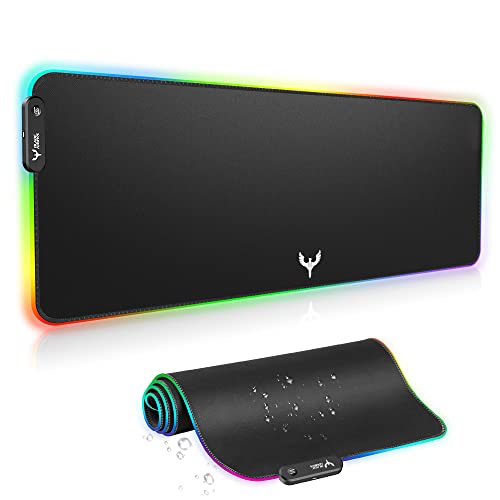
| BladeHawks RGB | Fourteen lighting modes, USB powered | Budget | |
| KTRIO | Publishes its size; stitched and water resistant | Budget | |
| Rinaze | The largest published area here | Budget | |
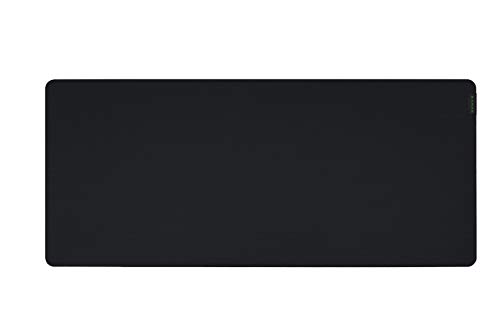
| Razer Gigantus V2 | Best seller here; 4mm of high-density foam | Mid-range | |
| SteelSeries QcK XXL | The esports default; over 10 million sold | Mid-range | |
| Logitech G840 | Thin, so your keyboard sits low and level | Mid-range | |
| SteelSeries QcK Performance | You choose the surface: speed or control | Premium | |
How to choose an XL mousepad
Ignore the letters and read the inches
There is no standard. KTRIO’s XL is 31.5 by 11.8 inches. BladeHawks calls 800 by 300 millimeters, which is the same thing, extra large. Rinaze’s XXL is 35.4 by 15.7. SteelSeries publishes 35 by 16 for its XXL. Razer offers Medium through 3XL and does not tell you what any of them measure here. Measure your desk, decide how much of it you want covered, and buy by the number. The letter on the box is a mood.
Speed or control is the choice nobody offers you
This is the real specification and exactly one brand here sells it as one. SteelSeries’ Performance range comes in Speed, Balance and Control versions, because a fast surface lets the mouse skate for wide flicks while a high-friction surface lets you stop precisely on a target. Logitech is the other brand that thinks about it, tuning the G840 for moderate friction so the mouse feet meet the right resistance when you start and stop. Everyone else says smooth and fast and controlled in the same sentence, which is not a thing a surface can be.
Thickness is a genuine trade, not a quality score
Razer runs 4mm on its XXL and says why: a thick, high-density foam stays uniformly flat over an imperfect desk. SteelSeries’ QcK XXL is 0.2 inches, and its Performance pad is 3.5mm. Then look at Logitech, which goes deliberately thin at 0.12 inches, arguing that a consistent low height lets you position your keyboard however you like without it perching on a cushion. Thick suits a bad desk and a resting wrist. Thin suits a good desk and a keyboard you want level with it.
Low sensitivity is why this page exists
If you aim at 400 DPI, crossing a screen means moving the mouse most of a forearm’s length, and a normal pad runs out. That is what a full-desk mat solves, and Razer names the payoff exactly: less need to lift and reposition. Every lift is a moment where your aim is not tracking. Logitech is equally direct, describing its base as designed to stop bunching during rapid sweeping movements in low-DPI gaming. If you play at high sensitivity, you do not need any of this.
Stitched edges are the difference between two years and one
The edge is where a cloth pad dies: it frays, then it peels, then it rolls up under your wrist. KTRIO, TEDNETGO and Rinaze all stitch theirs, and SteelSeries’ Performance pad uses a low-profile stitch specifically so the raised edge does not get in the way of your hand. The cheaper unstitched pads look identical on day one. They do not on day four hundred.
RGB costs you a cable
BladeHawks gives you fourteen lighting modes, seven static and seven dynamic, on a pad that looks genuinely good in a dark room. It is USB powered, plug and play, no driver. That is a real USB port occupied and a real cable across your desk, permanently, so a mat can glow. Worth it or not is entirely a matter of taste, and it is worth knowing before you order rather than after.
TEDNETGO
The cheapest full-desk pad here, and it covers the basics without embarrassment: a Lycra surface that glides smoothly, a rubberized non-slip base, stitched edges against fraying, and a water-resistant coating so a knocked drink beads up rather than soaks in. TEDNETGO backs it with a lifetime warranty, which on a pad costing this little is either confidence or marketing and either way costs you nothing. It is big enough for a mouse, a full keyboard and the rest of the desk clutter.
Pros:
- Cheapest pad here
- Lifetime warranty stated
- Stitched edges and a water-resistant coating
- Lycra surface with a rubberized non-slip base
Cons:
- No dimensions published
- No thickness given
- No speed or control characterization at all
Best for: covering a desk for the least money possible.
BladeHawks RGB
The one that glows, and it does it properly: seven static and seven dynamic modes, cycled with one button, USB powered with no driver to install. It measures 800 by 300 millimeters, which is 31.5 by 12 inches and enough for a keyboard and a full mouse sweep. The surface underneath the light show is a micro-textured cloth on a natural rubber base that grips the desk, and it is waterproof. Take the cable seriously as part of the deal: this pad needs a USB port for as long as you own it.
Pros:
- Fourteen lighting modes, cycled from one button
- Publishes its size at 800 by 300 mm
- Micro-textured cloth on a natural rubber base
- Plug and play; no driver needed
Cons:
- Occupies a USB port and a cable, permanently
- No thickness published
- No stitched edge mentioned
Best for: a dark room and a desk that is also a display.
KTRIO
The best-specified budget pad, and it starts by telling you the size: 31.5 by 11.8 inches, enough for a gaming mouse and a full-size mechanical keyboard side by side. KTRIO is also the only cheap pad here to characterize its surface plainly, describing a textured micro-weave that balances glide against control rather than claiming both at once. Reinforced stitching stops the edges fraying and peeling, a soft dense natural rubber backing keeps it flat on an imperfect desk, and a spill-resistant coating means liquids bead for a wipe.
Pros:
- Publishes its dimensions plainly
- Describes its surface as a balance, not as everything at once
- Reinforced stitched edges against fraying and peeling
- Dense rubber backing keeps it flat; water resistant
Cons:
- No thickness figure published
- 11.8 inches deep is shallow for a full desk mat
- No speed or control option
Best for: a keyboard and mouse covered properly, cheaply, with the numbers stated.
Rinaze
The largest published area here at 35.4 by 15.7 inches, which is a genuine full-desk mat rather than a wide strip, and unusually it is trying to look like something: a black topographic print rather than a black rectangle. The fibers are strong and soft, wrinkle and shrink resistant, with flat-stitched anti-fray edges and a non-slip backing, and the tightly woven surface gives a quiet, effortless glide. It wipes clean with a damp cloth. It comes in a box, which Rinaze is upfront is meant to make it giftable.
Pros:
- Largest published size here at 35.4 by 15.7 inches
- Flat-stitch anti-fray edges; non-slip backing
- Wrinkle and shrink resistant fibers
- Actually looks like something, rather than a black rectangle
Cons:
- Sells poorly against the big brands
- No thickness published
- No speed or control characterization
Best for: maximum coverage, and a desk you actually look at.
Razer Gigantus V2
The best-selling pad here, and the thing it gets right is the foundation: 4mm of high-density rubber foam on the XXL, which Razer explains properly, saying it keeps the mat uniformly flat even over an imperfect surface. If your desk has a seam, a lip or a slight bow, that is the pad that ignores it. The micro-weave surface is tuned for both fast swipes and controlled movement, calibrated across mouse sensors, and Razer names the low-sensitivity payoff directly: less lifting and repositioning. Anti-slip base, and four sizes up to 3XL.
Pros:
- The best-selling pad on this page
- 4mm high-density foam stays flat over an imperfect desk
- Calibrated across mouse sensors; micro-weave surface
- Four sizes, up to 3XL
Cons:
- Does not publish the actual dimensions of any size here
- No stitched edge mentioned
- One surface; no speed or control choice
Best for: a desk that is not perfectly flat, and not wanting to think.
SteelSeries QcK XXL
The default. SteelSeries says over ten million QcKs have sold and that it has been the esports choice for the better part of two decades, and the reason is that the micro-woven cloth is genuinely optimized for both low and high DPI tracking, tested by the leading mouse sensor manufacturer. It publishes its size, which most rivals do not: 35 by 16 by 0.2 inches, so a full desk with real depth. An extra-thick non-slip rubber base eliminates the shifting that ruins a flick. There is nothing clever here. It is simply the pad everything else is compared to.
Pros:
- Publishes its dimensions: 35 by 16 by 0.2 inches
- Micro-woven cloth optimized for both low and high DPI
- Tested by the leading mouse sensor manufacturer
- Extra-thick non-slip base; the esports standard for years
Cons:
- No stitched edges, so watch the corners over time
- One surface; SteelSeries sells the choice separately
- Costs more than the budget pads for a plain black mat
Best for: the pad nobody ever regretted buying.
Logitech G840
The contrarian, and its argument is good. At 0.12 inches it is deliberately thin, because a consistent low height across the whole desk lets you place your keyboard wherever you like without it perching on a cushion or fighting a raised edge. Logitech is also one of only two brands here that will describe the friction plainly: moderate, tuned to give the mouse feet the right resistance when starting and stopping, with a consistent texture so the sensor reads movement cleanly. The no-slip base is aimed squarely at low-DPI sweeps.
Pros:
- Deliberately thin at 0.12 inches; keyboard sits low and level
- Publishes and explains its friction as moderate and tuned
- Consistent surface texture for clean sensor tracking
- Base designed against bunching during low-DPI sweeps
Cons:
- Thin means it will not hide an uneven desk
- No dimensions published here
- Costs more than the SteelSeries that outsells it
Best for: a flat desk and a keyboard you want sitting at desk height.
SteelSeries QcK Performance
The only pad here that asks what kind of player you are. The Performance range comes as Speed, Balance or Control, which is the specification this whole category pretends does not exist: friction is a choice, and the right amount depends on whether you flick or track. This is the Speed version, with an ultra-smooth surface for fast movement, on a 3.5mm base that SteelSeries pitches as the balance between comfort and consistency. Low-profile stitched edges keep it from fraying without the raised lip catching your wrist, and the neoprene base is soft and immovable.
Pros:
- Sold in Speed, Balance and Control surfaces; nothing else here does
- 3.5mm base balancing comfort against consistency
- Low-profile stitched edges; durable without catching your wrist
- Soft neoprene non-slip base
Cons:
- Most expensive pad here by a wide margin
- No dimensions published
- Choosing wrong means buying a surface that fights your aim
Best for: a fast player who knows they want speed, not compromise.
The verdict
Best overall: Razer Gigantus V2. The best-selling pad here, and the 4mm of high-density foam is the reason: it lies flat over a desk that is not, which is most desks, and it stops the surface telegraphing every seam and lip into your aim. The micro-weave is calibrated across sensors and Razer is clear about the payoff at low sensitivity, which is fewer lifts and repositions. It will not tell you the dimensions, so check the size chart before you order.
Best value: KTRIO. The cheapest pad here that tells you what you are buying: 31.5 by 11.8 inches, a micro-weave surface described as a balance rather than as magic, reinforced stitching so the edges survive, a dense rubber backing and a spill-resistant coating. It is shallower than a true full-desk mat. For a keyboard and a mouse with room to sweep, it does everything the expensive pads do.
Best premium: SteelSeries QcK Performance. It costs the most and it is the only pad on this page that takes friction as a decision rather than a secret. Speed, Balance or Control, chosen by you, on a 3.5mm base with low-profile stitched edges. If you already know that you flick rather than track, buying the surface that suits that is worth more than any amount of extra size.
FAQ
What size is XL?
Whatever the brand decided. KTRIO’s XL is 31.5 by 11.8 inches; Rinaze’s XXL is 35.4 by 15.7; SteelSeries publishes 35 by 16 for its XXL; BladeHawks quotes 800 by 300 mm. Razer offers four sizes and does not tell you what they measure. Measure your desk and buy by the inches.
Speed or control surface?
Speed if you flick, control if you track and need to stop precisely on target. Only SteelSeries’ Performance range sells the choice, in Speed, Balance and Control versions, and only Logitech otherwise describes its friction, calling the G840 moderate and tuned. Everything else claims to be smooth and controlled at once, which nothing is.
Does thickness matter?
It is a trade, not a grade. Razer’s 4mm foam stays flat over an imperfect desk and cushions your wrist. Logitech deliberately goes thin at 0.12 inches so your keyboard sits low and level with the rest of the desk. Good desk, go thin. Bad desk, go thick.
Why do I need a full-desk pad at all?
Low sensitivity. If you aim by moving your whole forearm, a normal pad runs out mid-flick and you lift and reposition, which is a moment your aim is not tracking. Razer names exactly that benefit. If you play at high sensitivity and never leave a small area, this whole category is solving a problem you do not have.
Are stitched edges worth it?
Yes, over a year or two. The edge is where cloth pads fail: it frays, peels and curls under your wrist. KTRIO, TEDNETGO and Rinaze all stitch. SteelSeries uses a low-profile stitch on its Performance pad specifically so the durable edge is not a ridge you feel.
This article may contain affiliate links; see our Affiliate Disclosure.