Flick for a headshot at low sensitivity and your hand sails right off a small pad onto bare desk, and the shot dies with it. A large mousepad gives that swing room to breathe, turning wide, fast movements into smooth, uninterrupted arcs.

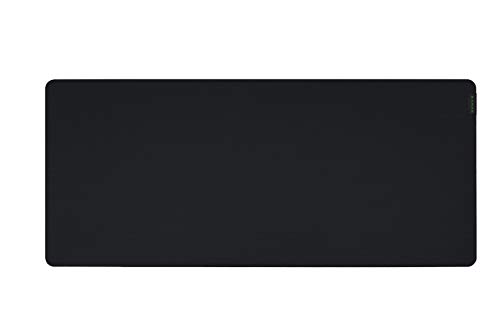



A large gaming mousepad gives your mouse room to travel, a consistent surface under both mouse and keyboard, and a stable base that will not slide mid-clutch. This guide compares five popular models, from a legendary esports cloth to full-desk mats and an RGB option, weighing glide, control, and durability. It suits low-sensitivity aimers, competitive players, and anyone who wants a tidy, uniform desk surface that keeps up with fast, sweeping movements.
| Product | Standout | Price tier | Link |
|---|---|---|---|
| SteelSeries QcK Large | Best-selling micro-woven esports cloth | Mid-range | |
| Razer Gigantus V2 XXL | Thick high-density foam, full-desk XXL | Premium | |
| KTRIO Large Desk Mat | Stitched edges, water-resistant, value | Budget | |
| TEDNETGO Large Pad | Smooth Lycra surface, waterproof coating | Budget | |
| DR CATCH RGB Mousepad | 14 lighting modes, large soft surface | Mid-range | |
How to choose a large gaming mousepad
Beyond size, a few surface and build details decide how a pad plays and how long it lasts. Weigh these against your setup and style.
Size and desk coverage
Large pads span a wide range, and the right one depends on your play style and desk. A standard large cloth pad gives plenty of room for low-sensitivity swipes while leaving desk space for other items. An extended or XXL desk mat, often over 30 inches wide, sits under both your keyboard and mouse for a single uniform surface and a clean, cohesive look. If you play at low sensitivity and make big arm movements, or you simply like your whole workspace covered, go extended; if you want mouse room without dominating the desk, a standard large is plenty. Measure your desk before buying the biggest option.
Control versus speed surface
The surface texture shapes how your mouse feels. A control-oriented, textured micro-weave cloth adds friction for precise stops and deliberate aiming, favored by players who value accuracy over raw speed. A smoother, faster surface lets the mouse glide with less resistance for quick flicks and low effort. Many popular cloth pads aim for a balanced middle ground that suits most players. Think about your genre and habits: precision shooters often prefer control, while fast-paced or high-sensitivity play can reward a slicker glide. There is no single best answer, only the surface that matches how you move the mouse.
Base grip and thickness
A pad that shifts under pressure ruins aim, so the base matters. A dense, non-slip rubber backing keeps the pad planted on the desk during frantic movements, which is essential for competitive play. Thickness affects both feel and forgiveness: thicker high-density foam stays uniformly flat even over slightly uneven desks and adds a touch of cushioning under the wrist, while thin pads keep the mouse closer to the desk. Look for a stable base and a thickness that sits flat on your particular surface. A pad that stays put and lies perfectly flat gives the consistent glide that precise aiming depends on.
Edges and durability
Cloth pads live under constant friction, and the edges are usually the first thing to fail. Anti-fray stitched edges reinforce the border so it does not peel or unravel over months of use, a worthwhile feature on any pad you plan to keep. The stitching also gives a clean, finished look. On unstitched pads, check that the surface is bonded well to the base. Since a mousepad is inexpensive but used constantly, a durable, well-finished edge is the difference between a pad that lasts years and one that starts shedding threads. For heavy daily use, favor reinforced stitching.
Cleaning, spills, and extras
A desk sees drinks and snacks, so spill resistance is a practical plus. Many pads add a water-resistant or waterproof coating that makes liquids bead up for a quick wipe, protecting the surface and your setup. Most cloth pads are also machine or hand washable, which restores glide when they get grimy. Beyond practicality, some pads offer RGB lighting with multiple modes to match a setup’s look, though lighting adds a cable and does not affect performance. Decide which extras you actually want, since a clean, well-maintained surface plays better and lasts longer regardless of the flashy features.
SteelSeries QcK Large: the best-selling esports classic
The most popular pad here is a genuine icon of competitive gaming, and its reputation is earned. Its proprietary micro-woven cloth surface is tuned for mouse precision and performance, with a high thread count and smooth finish that optimizes tracking, and it has been tested by a leading mouse sensor manufacturer for pinpoint accuracy. A durable, non-slip rubber base eliminates unwanted movement to provide a solid platform for competitive play. Long trusted by esports professionals as their pad of choice, the QcK balances control and glide in a way that suits nearly every player and game. Available in multiple sizes, the large offers ample room for everyday aiming without overwhelming the desk. For a proven, reliable surface that simply works, it is the safe and popular pick.
Pros
- Legendary micro-woven cloth surface
- Sensor-tested tracking accuracy
- Durable non-slip rubber base
- Balanced control and glide
- Best-selling, esports-trusted
Cons
- Standard large, not full-desk sized
- No stitched edges on the classic
- Plain, understated look
Best for: competitive and everyday players who want a proven, balanced control surface.
Razer Gigantus V2 XXL: the full-desk performer
Razer’s Gigantus V2 in XXL turns the whole desk into one seamless playing field, sitting under keyboard and mouse alike for wide, uninterrupted movement. Its micro-weave surface is optimized across all mouse sensors for pixel-precise accuracy and total tracking responsiveness, gliding easily for both fast flicks and controlled aiming. The standout is a high-density rubber foam base, a thick 4mm on the XXL, that keeps the mat uniformly flat even over an imperfect desk while adding a stable, planted feel, and an anti-slip base holds firm during chaotic moments. Offered in several sizes, the XXL suits low-sensitivity players and anyone who wants full coverage and a clean, cohesive setup. For a premium full-desk mat with a stable, flat foundation, it is a standout choice.
Pros
- Full-desk XXL coverage
- Sensor-optimized micro-weave surface
- Thick high-density foam stays flat
- Stable anti-slip base
- Multiple sizes available
Cons
- Takes up the whole desk
- Priciest option here
- Large size needs desk space
Best for: low-sensitivity players wanting a flat, stable, full-desk surface.
KTRIO Large Desk Mat: the durable value pick
KTRIO delivers a genuinely useful extended desk mat at a budget price, and it does not cut the corners that matter. At 31.5 by 11.8 inches, its X-large size provides ample space for a gaming mouse and a full-size mechanical keyboard together, unifying the whole workspace. A textured micro-weave cloth surface strikes an excellent balance between smooth glide and precise control, while a soft, dense natural rubber base keeps the mat firmly in place and uniformly flat. Reinforced anti-fray stitched edges resist peeling and fraying over time, so it holds up to daily use, and a spill-resistant coating lets liquids bead up for easy cleanup with a damp cloth. For players who want full-desk coverage, durability, and easy maintenance without spending much, it is a smart, well-rounded value.
Pros
- Extended full-desk coverage
- Balanced micro-weave surface
- Anti-fray stitched edges
- Non-slip dense rubber base
- Spill-resistant and easy to clean
Cons
- Budget brand, no sensor branding
- Surface is capable rather than premium
- One size and look
Best for: value seekers wanting a durable, full-desk mat with stitched edges.
TEDNETGO Large Pad: the smooth-surface budget option
The TEDNETGO large pad focuses on a fast, comfortable glide and easy upkeep at a low price. Its extended size fits a mouse, gaming keyboard, and other desk items together for a tidy, unified surface, and a comfortable Lycra top with breathable material gives a smooth, low-friction feel that suits quick movements and long sessions. A rubberized, textured non-slip base keeps the pad stable on the desk during intense play, and a waterproof, water-resistant coating protects against spills and makes cleanup simple. It is backed by a generous lifetime warranty, adding peace of mind to an already affordable purchase. For players who prefer a slicker, speed-leaning surface and want dependable coverage without paying much, it is a practical, low-risk choice.
Pros
- Smooth, fast Lycra surface
- Extended coverage for the whole desk
- Non-slip rubber base
- Waterproof, easy-clean coating
- Backed by a lifetime warranty
Cons
- Speed surface less control-focused
- Budget materials
- Basic styling
Best for: players who prefer a smooth, faster glide and easy-clean coverage.
DR CATCH RGB Mousepad: the lit-up desk centerpiece
For setups where the look matters as much as the play, the DR CATCH RGB pad adds glow without giving up the basics. Fourteen lighting modes, including colorful and dynamic breathing effects plus monochrome options, let you match the mat to your rig, all controlled by a simple button to change color or mode. At 31.5 by 12 inches it provides generous room for wide mouse movement and a full keyboard, and a smooth, waterproof microfiber surface keeps the mouse tracking precisely while shrugging off spills. A rubber base keeps it stable and resistant to sliding on the desk. The lighting needs a cable and does not change performance, but for players who want a large, capable surface that also lights up the desk, it delivers style and function together at a fair price.
Pros
- 14 RGB lighting modes
- Large full-desk surface
- Smooth, precise microfiber top
- Waterproof and easy to clean
- Stable rubber base
Cons
- Lighting adds a cable
- RGB does not aid performance
- Surface leans soft over ultra-precise
Best for: players who want a large surface that also lights up their setup.
The verdict
All five give your mouse room to move and your desk a cleaner surface. The best one depends on whether you value proven control, full-desk coverage, value, glide, or lighting.
Best Overall: SteelSeries QcK Large – the best-selling, esports-trusted cloth that balances control and glide on a rock-solid base, the safe choice for almost any player.
Best Value: KTRIO Large Desk Mat – a durable extended desk mat with stitched edges, a balanced surface, and spill resistance for a budget price.
Best Premium: Razer Gigantus V2 XXL – a full-desk XXL mat with thick high-density foam that stays perfectly flat, ideal for low-sensitivity, wide-swing play.
Frequently asked questions
How big should a gaming mousepad be?
It depends on your sensitivity and desk. Players who use low sensitivity make wide arm movements and benefit from a large or extended pad that gives the mouse room to travel without running off the edge. A standard large pad suits most players, while an extended or XXL mat covers the whole desk under both keyboard and mouse for a uniform surface. Measure your desk and consider your play style, then pick the largest size that fits comfortably.
Is a cloth or hard mousepad better for gaming?
Cloth pads are the most popular choice for gaming because they balance control and glide, feel comfortable, and are easy to clean and inexpensive, which is why every pad here is cloth. Hard pads offer a faster, slicker glide that some players prefer but can feel harsh and wear mouse feet faster. For most gamers, a quality cloth pad with a surface tuned to their taste, more control or more speed, is the versatile, comfortable pick.
What is the difference between a control and a speed surface?
A control surface has more texture and friction, which helps you stop the mouse precisely for accurate aiming, favored in precision shooters. A speed surface is smoother with less resistance, letting the mouse glide quickly for fast flicks and low effort. Many cloth pads aim for a balanced middle ground that suits most players. Choose based on how you move: control for deliberate, precise aiming, speed for quick, sweeping movements, or a balanced pad if you are unsure.
Do RGB mousepads improve performance?
No, RGB lighting is purely cosmetic and does not affect how the mouse tracks or how you aim. It looks great and can tie a setup together visually, but it adds a cable and draws power without changing performance. If aesthetics matter to you and you like a coordinated, lit-up desk, an RGB pad is a fun choice as long as the underlying surface is good. If you only care about play, a non-lit pad with a great surface is all you need.
How do I clean a cloth gaming mousepad?
Most cloth pads can be hand washed with mild soap and cool water, gently scrubbed, rinsed, and air dried flat, which restores glide when the surface gets grimy from oils and dust. Some are machine washable on a gentle cycle, but check the maker’s guidance first. Pads with a water-resistant coating let you wipe up spills quickly with a damp cloth for day-to-day cleaning. Keeping the surface clean maintains consistent tracking and extends the pad’s life.
This article may contain affiliate links; see our Affiliate Disclosure.